Warzone has just been updated to version 5.43.0! This update adds a bunch of new features and makes improvements to the game and app. This blog post describes what’s changed.
This update is live now on the website at warzone.com and on the standalone clients. It will come to the Android and iOS apps in the coming week or two.
Local Deployment Assist
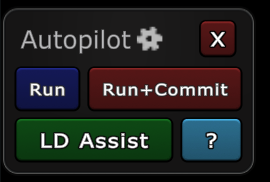
Autopilot now has a new feature called LD Assist! This is designed to help you enter orders in Local Deployment games.
When you click the LD Assist button, Warzone will add deployments to all bonuses that aren’t fully deployed (in the territory closest to an opponent), and also issue transfer orders to armies in the direction of the nearest opponent.
Since autopilot is a member-only feature, LD Assist requires a Warzone Membership to use.
Unlike traditional autopilot, which replaces your entire orders list with a new set of orders, LD Assist is designed to be collaborative with your existing orders. It won’t order any army transfers on territories you’ve already ordered, and it won’t move any deployments you’ve already entered. Therefore, the recommended workflow to using LD Assist is:
- Enter all deployments you care about, either your free armies or bonus-locked armies.
- Enter all attack/transfer orders you care about, such as critical attacks or transfers.
- Activate LD Assist. It will “fill in” the other deployments/attacks.
- Review the orders generated by LD Assist and modify any as necessary.
New Guides
As outlined in the previous blog post, Warzone is getting an integrated guide system to help players learn about all of its features.
In this update, new guides were added to cover the following topics:
- Booting
- Commerce
- Overridden bonuses
- Random combat
- Local Deployment
- One army must stand guard
- No-split
- Multi-attack
- Teams
- Spy card
- Reconnaissance card
- Surveillance card
- Diplomacy card
- Sanctions card
- Gift card
- Airlift card
- Blockade card
- Emergency blockade card
- Army cap
- Extra armies for territories
- Mods
- Double-tap-to-attack
- Creating games
These new guides, combined with the existing guides, now cover all of the game mechanics of Warzone Classic. This means it’s now possible to learn how to play any Warzone Classic game simply by reading the guides attached to that game.
Guide Integration
Guides are also further integrated into the game:
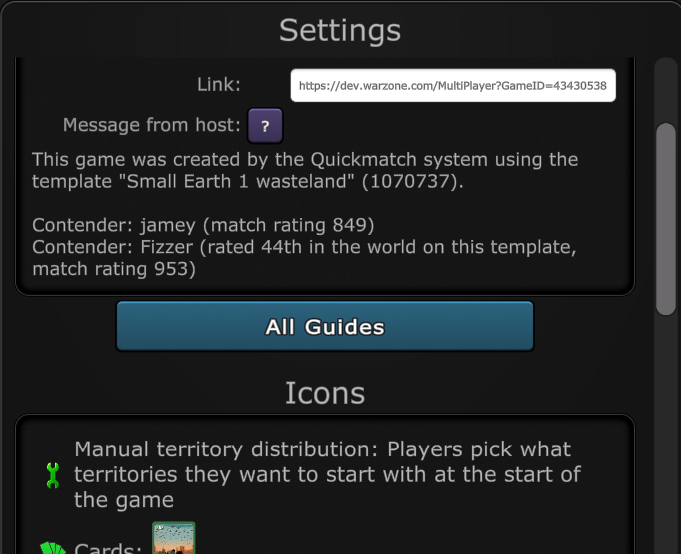
The settings dialog for any game has a new “All Guides” button that will pop up a list of all of the guides relevant to any game.
Also, the “?” help buttons next to each setting in the settings dialog now pop up the relevant guide, if one is available, instead of linking to the wiki. This is a much better experience for learning game mechanics since the guides are aware of the game you’re looking at and can customize their instructions to the exact configuration of that game. For example, the Move Order wiki page needs to explain all three possible move orders and the differences between them, whereas the equivalent guide only needs to explain the one that’s active for this game.
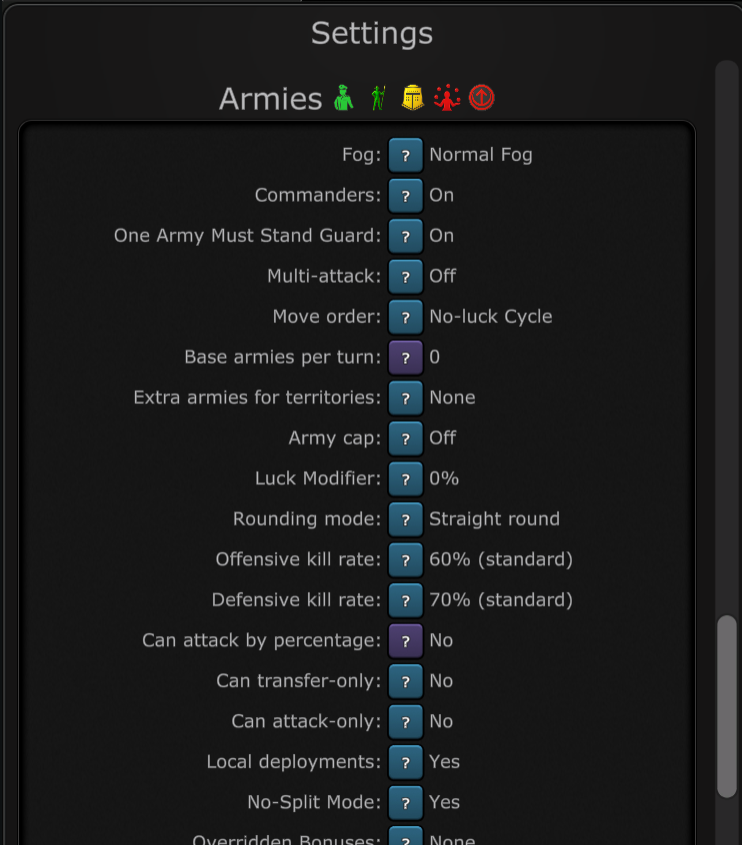
Some of the help buttons in the app now have a slight purple color instead of the normal light-blue. The purple color means that it’s a wiki link that will take you out of the Warzone app and direct you to your browser, whereas the light blue means it will keep you in the app. This is a new addition to help you know what to expect when you click the help buttons. The long-term goal is to make guide content for all of these, so all buttons can be blue instead of purple.
Fizzer AMA
This Friday, February 13th at 11am PDT, Fizzer will be doing an Ask-Me-Anything session live on twitch! Feel free to drop in and ask any questions you have! If you can’t make it, you can post your questions to this thread and view the recording of your question after it’s over.
Other Changes
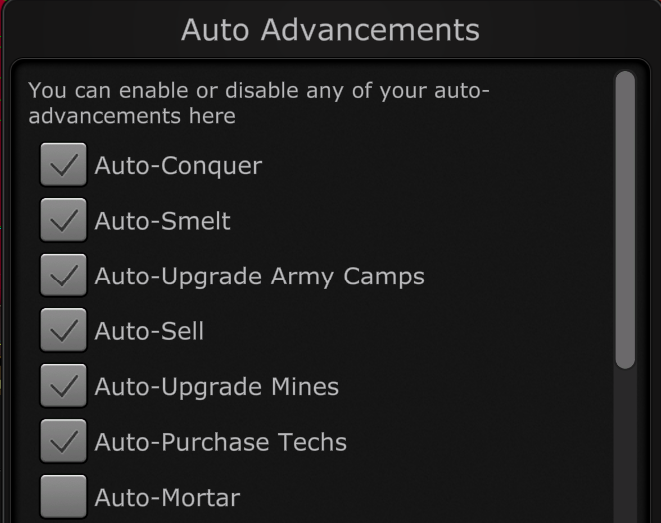
- Idle: Added “All on” and “All off” button to the Autos dialog, to easily turn all of your auto advancements on or off with a single click.
- All: Added “Snap Distance” configurable setting to map designer, under “3d settings” button, which lets map authors control how vertices are snapped in the new advanced 3d map processing.
- Unity: Fixed airlift animation to be smoother.
- Unity: Fixed single-player tab not laying out correctly on app startup if onboarding tab was hidden.
- Idle: Fixed quad strike and triple strike not swapping in as many artifacts as it could with the auto swapper.
- Mods: Added new colors to supported button colors: Yellow: ABA500 Green: 198225 Light blue: 50B2E3 Blue: 242D9A Red: 9A2929
- Mods: Fixed “CardStackVM Disposed” error that could come up in modded games.